For co-hosts
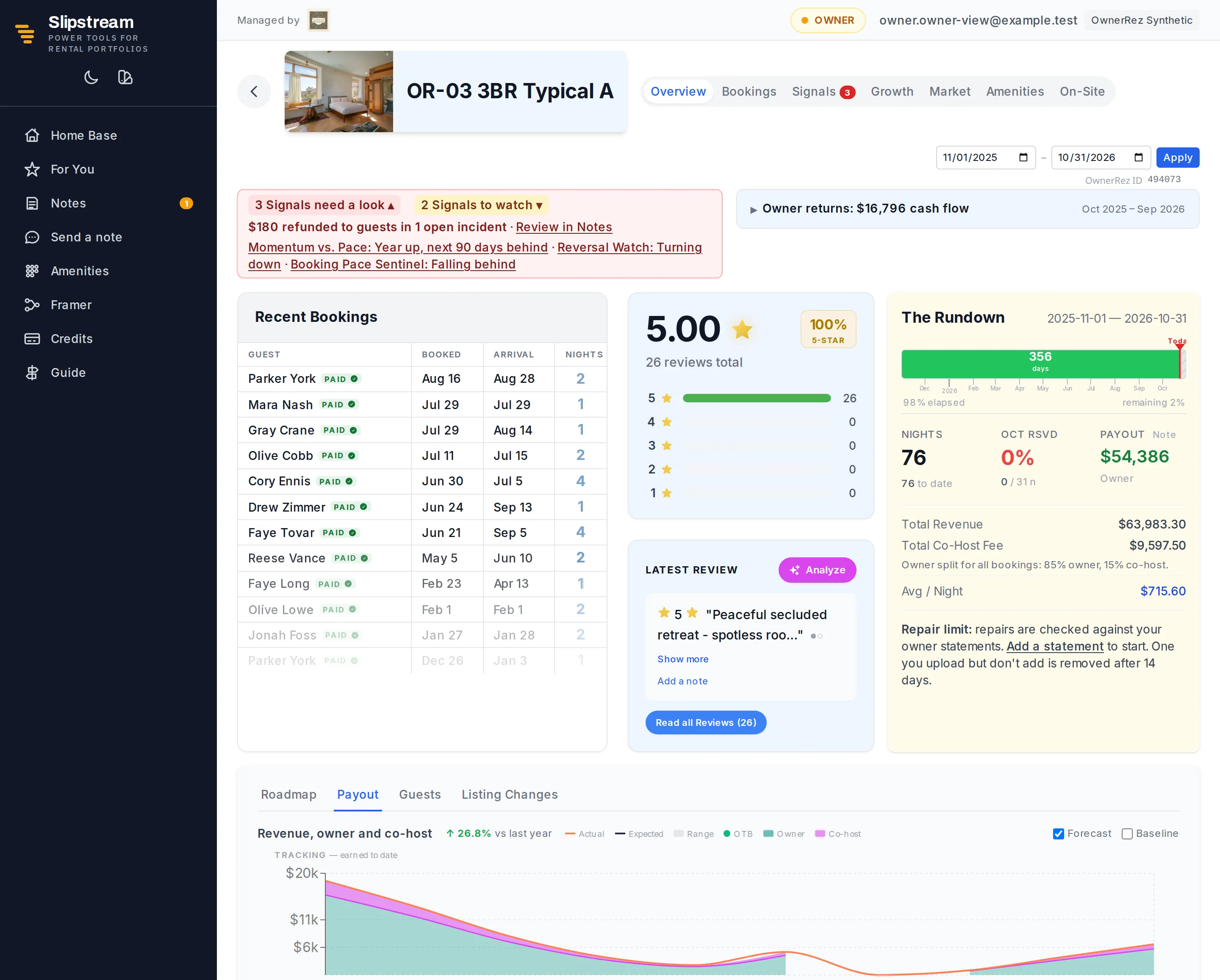
This is what your owner sees.
Their split, their payout, what came up this month and what it cost, and a one-click question to you about any number. Everything below is the owner's own login, on a sample property.
Only the signals you share
Today's red and amber readings, from the recipes you've added that are marked for owners. Everything else on your Signals tab stays yours.
Refunds the month they happen
Guest refunds, recoveries and repairs over their approval limit appear as they're recorded, with the details in Notes, not at year end.
Any number takes a question
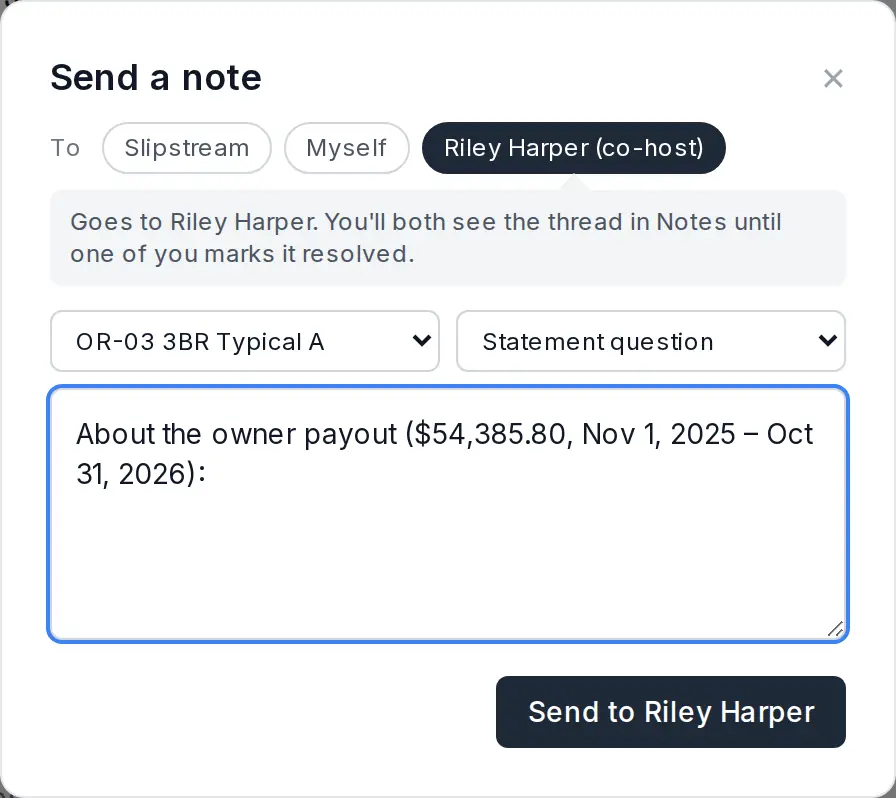
Hover a figure and click Note: a message to you starts with the figure and its dates attached.
Your fee, in plain sight
Your fee is a line they can read any day, not a surprise on the statement.
Their split, in words
The split you've stated, applied to every booking. Here: 85% owner, 15% co-host.
The return on their house
Cash flow, cash-on-cash and equity from their purchase, loan and running costs, once those figures are entered.
Their payout and your share
Month by month, stacked: what reached them and what you earned, against last year.
Ask about any number.
Addressed to you
An owner's note on a figure opens to their co-host, with the figure filled in.
Answered before you reply
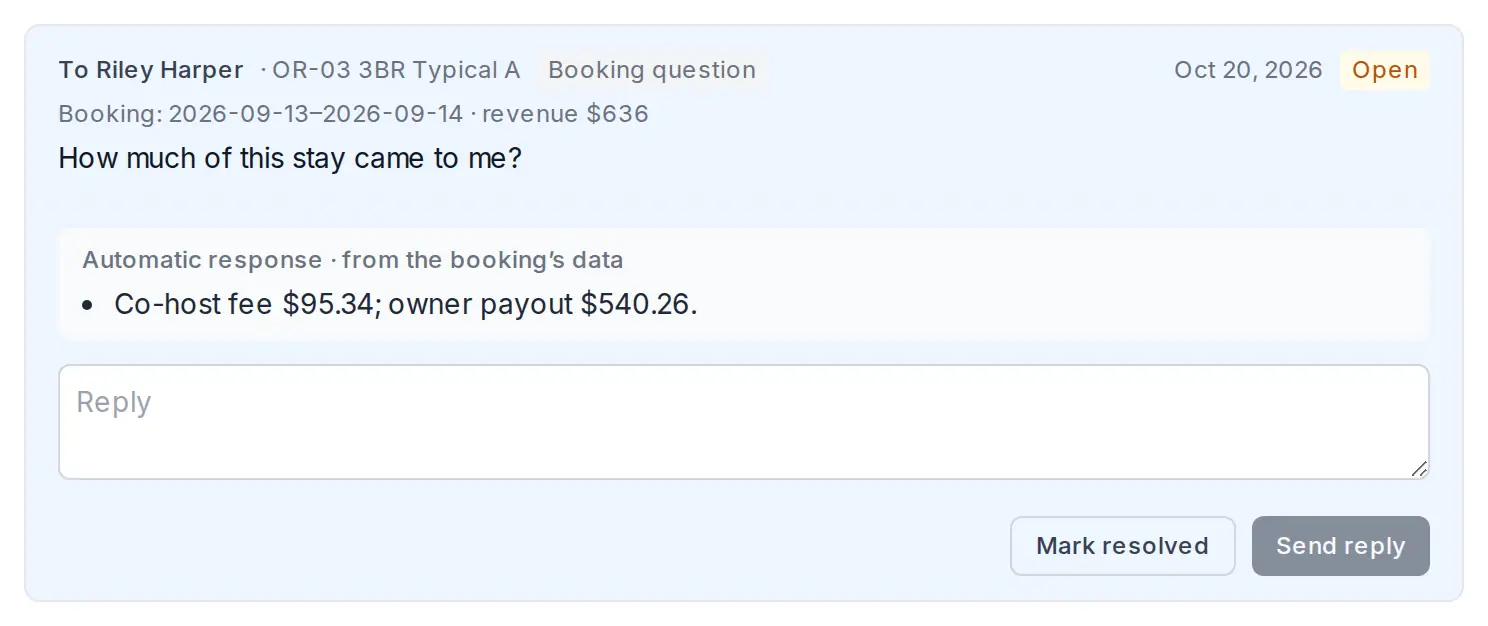
A question about a booking opens with that booking's figures, so you confirm instead of digging.
What stays yours.
Your view
Yours alone
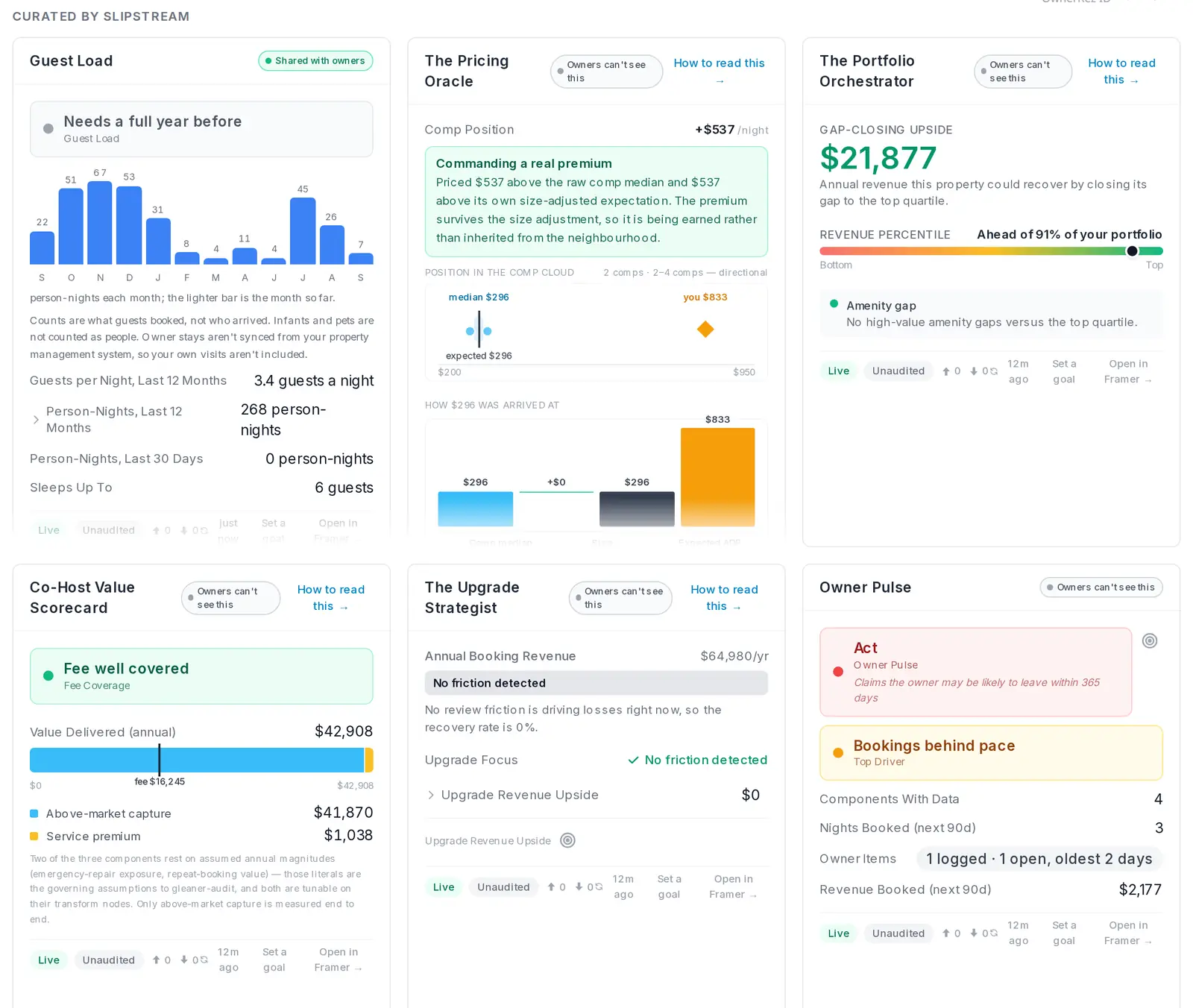
Pricing, dispatch and portfolio recipes are marked co-host only and never reach an owner.
Shared on purpose
Owners see only the recipes marked for them, and only the ones you add.
Their view
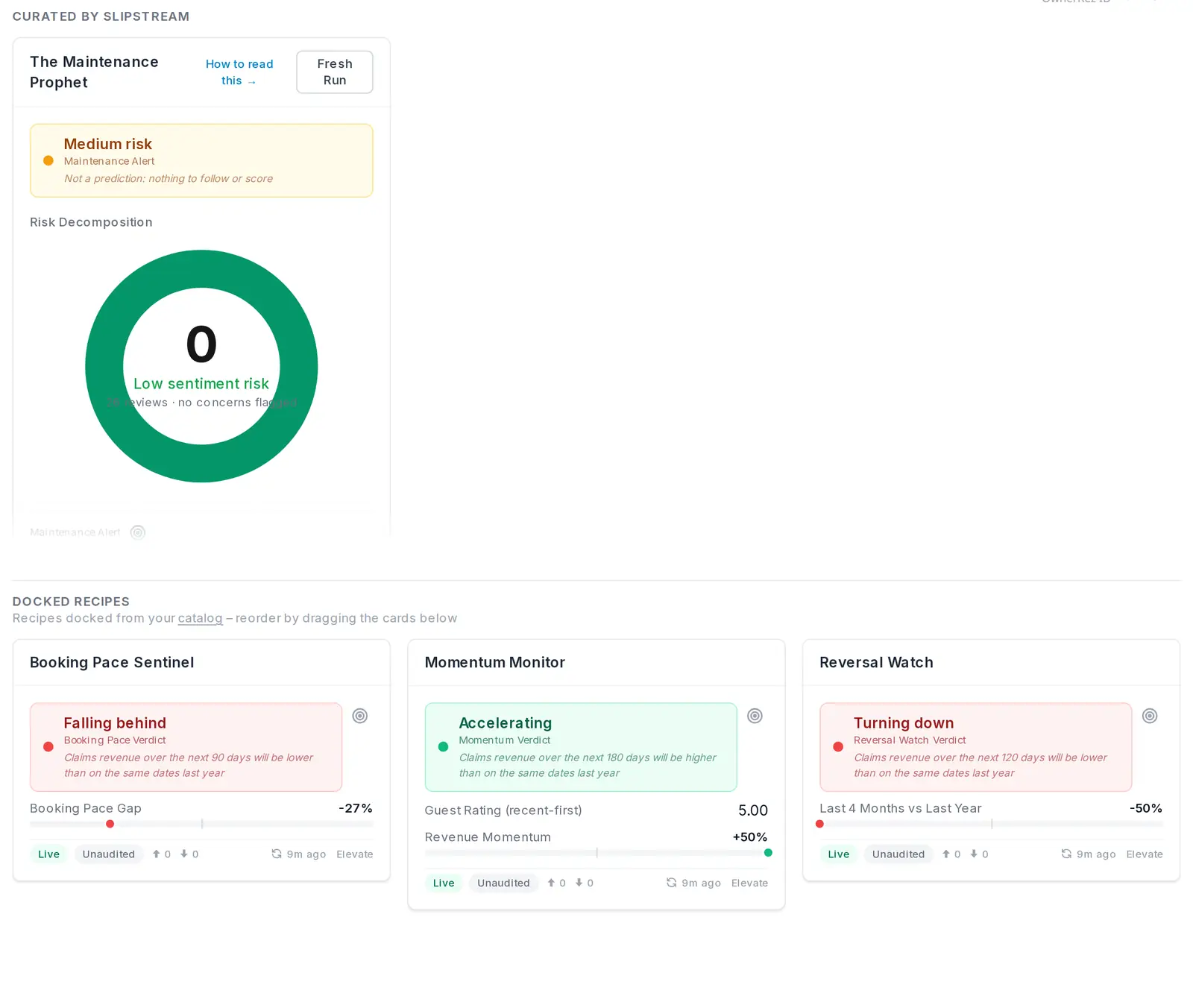
The owner's Signals tab
The same property, as the owner sees it: only the shared recipes.
And the rest of their account.
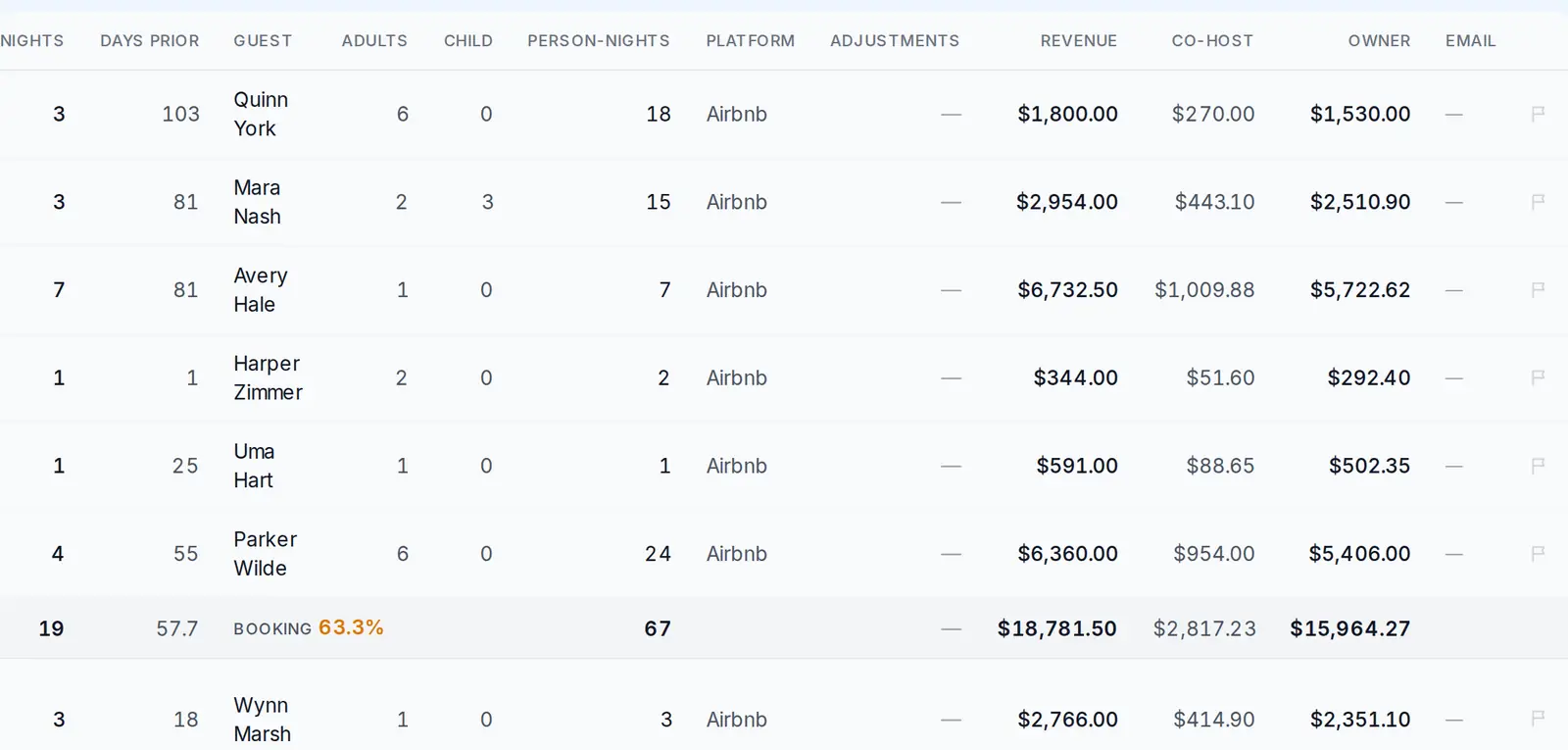
Every booking, split
Co-host and owner columns on each stay, from the split you state.
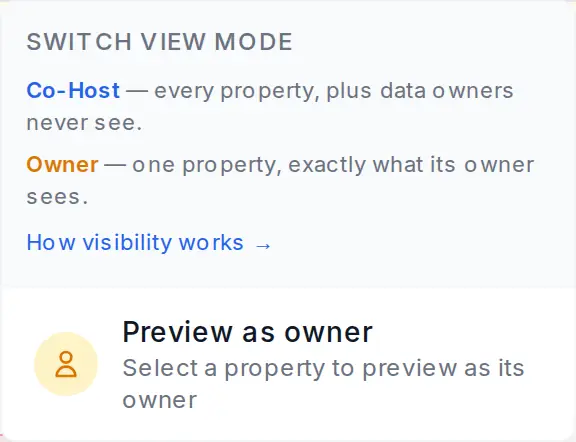
Inviting owners.
See it on a sample portfolio.
Open the demo portfolio, then choose Preview as owner from the menu at the top to see any property the way its owner would.