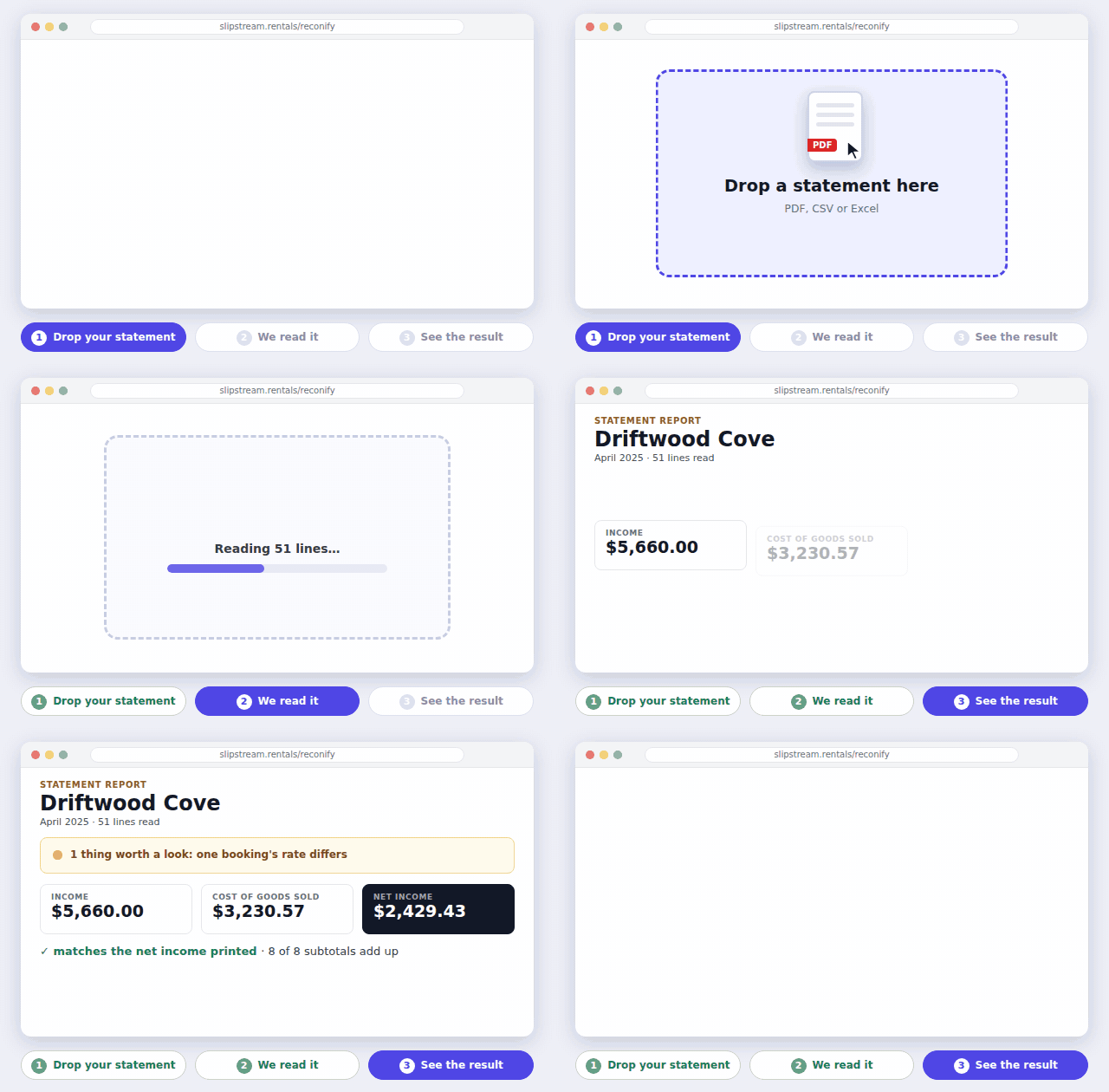
See exactly how an owner statement adds up.
Drop in a monthly owner statement or co-host invoice, one you send or one you receive: PDF, CSV or Excel. Reconify checks the math and gives you back a clean report. No account needed.
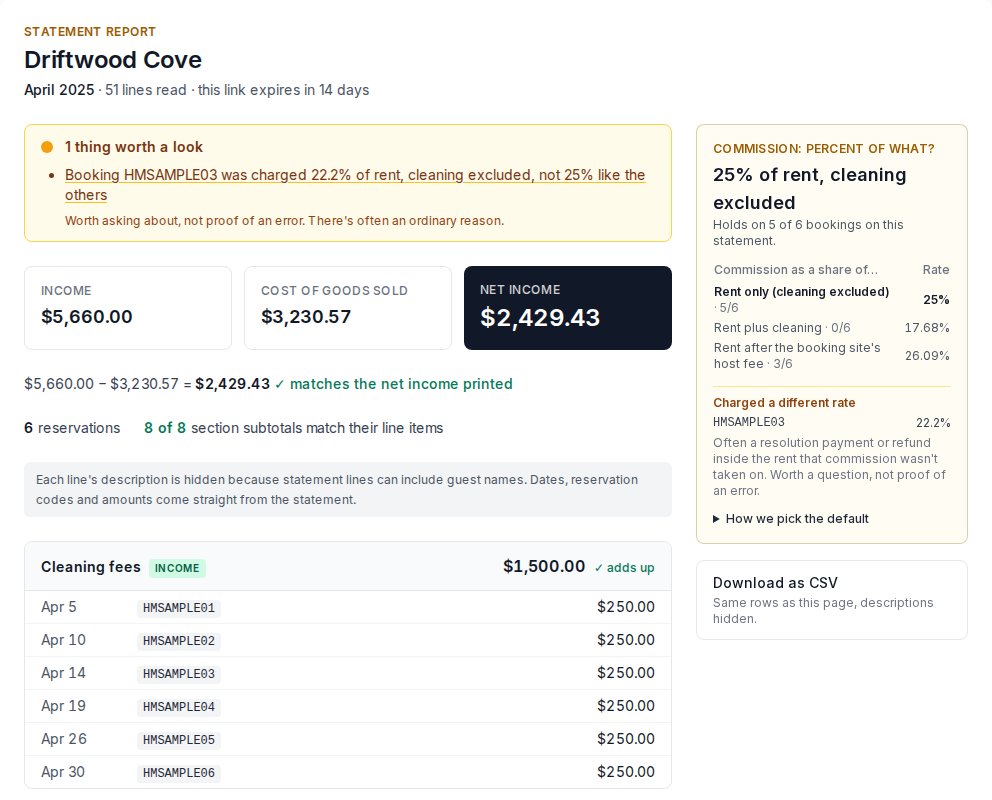
- The bottom line: income, expenses and net income, as the statement reports them
- Every charge, sorted: grouped by section, with dates, reservation codes and amounts
- Does it add up? every subtotal checked against its line items, and net income against the subtotals
- Percent of what? the base the commission was actually taken from: rent, rent plus cleaning, or rent after the booking site's fee
- What changed: upload several months at once to see charges that are new or have stopped
- Private by default: only the line details you need, deleted in 14 days unless you keep it
Try it with your statements
What statements can't tell you by themselves
Your statements tell you a lot on their own: we check that every section adds up, show what each commission was actually taken from, and flag charges that are new or have stopped. What no statement can show is a booking that never made it onto it.
Dual-ledger matching compares each statement with your booking system, lists any reservation that appears in only one of them, and flags bookings whose rent doesn't match. It works with Hospitable, and with your own Airbnb listing (connected free through Hospitable Connect). OwnerRez support is in testing.
Check statements in Claude
Add Reconify to Claude as a connector and ask it to check a statement there, against your Hospitable reservations if you use Hospitable's connector too. In Claude, open Customize → Connectors → Add → Add custom connector, and paste this URL:
https://slipstream.rentals/api/reconify/mcp?ref=reconifyHow it works